Colour and monochrome
A NeoTrellis grid with my firmware shows colour. A monome grid shows 16 brightness levels of one colour. A script can work on both: it draws in colour where colour exists, and falls back to brightness levels where it doesn't.
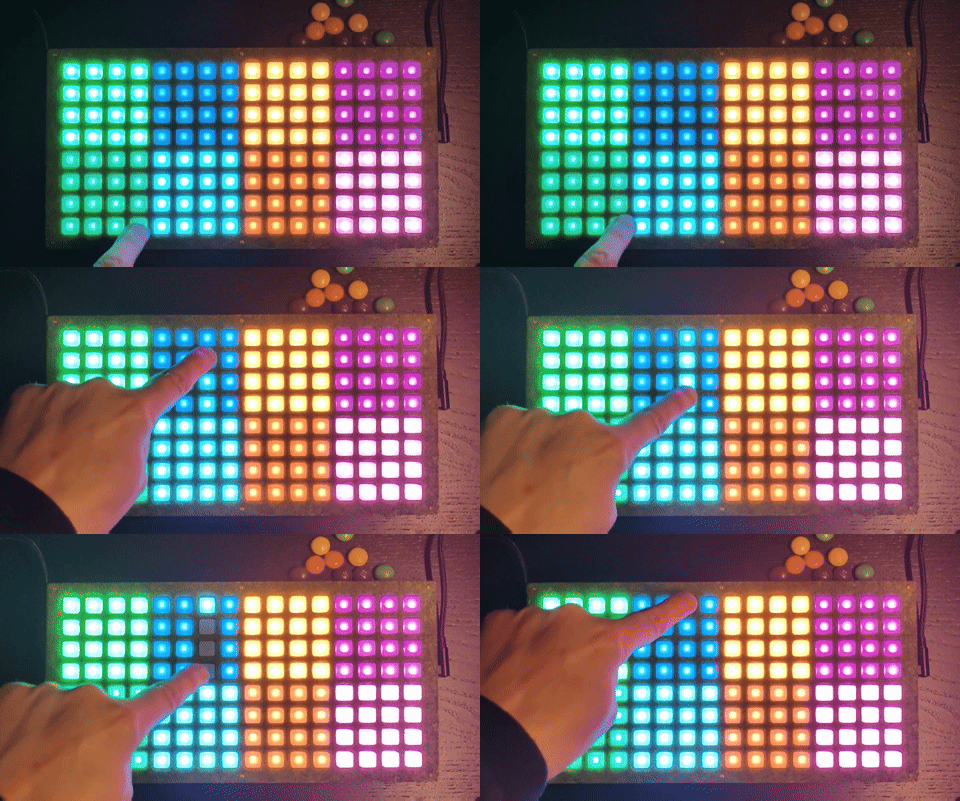
color_fallback_demo.lua on a NeoTrellis grid.
The functions
| Function | NeoTrellis firmware | Monome grid (iii) |
|---|---|---|
grid_led(x, y, level), grid_led_all(level) |
Yes, in the current tint | Yes |
grid_color(r, g, b) |
Sets the tint for grid_led and grid_led_all |
Doesn't exist |
grid_led_rgb(x, y, r, g, b) |
Sets one pad's colour, ignoring the tint | Doesn't exist |
grid_color_intensity(level) |
Overall brightness | Doesn't exist |
On a monome grid, calling a function that doesn't exist stops the script with an error. Check first:
if grid_color then grid_color(255, 120, 20) end
To test your script without colour, pick ◐ View → Monochrome in the emulator: the colour functions disappear, as on a monome grid, and a missing check shows up as an error. On hardware, viii does the same, since it only has grid_led.
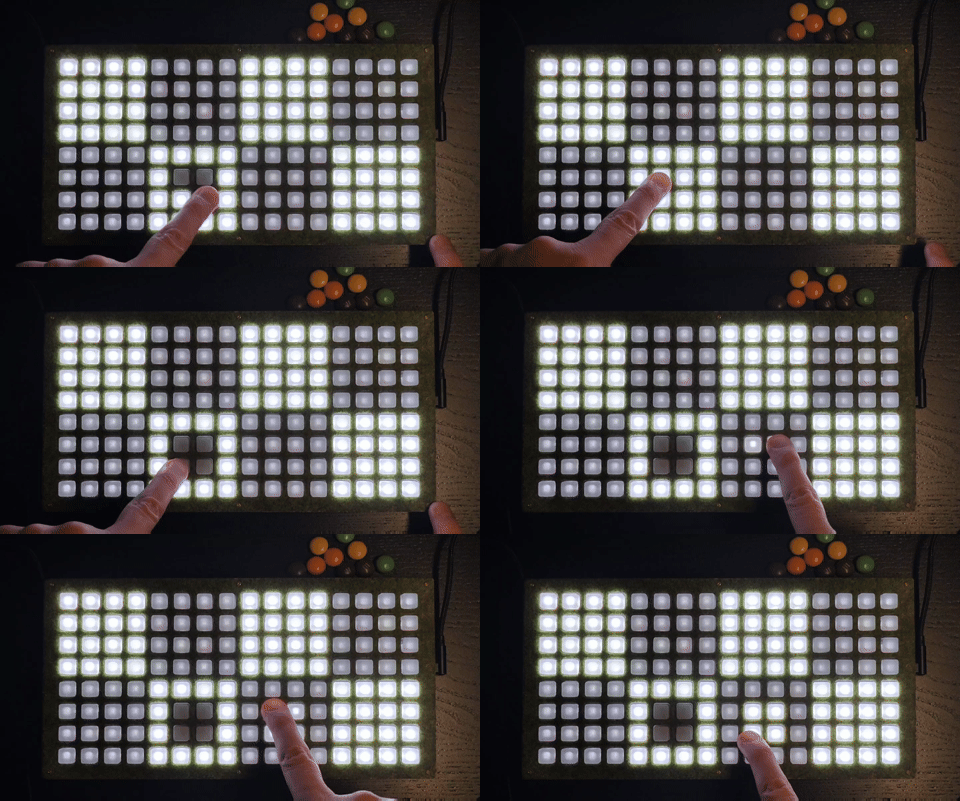
color_fallback_demo.lua on the NeoTrellis grid after testing its monochrome version in viii.
Three ways to use colour
| Approach | Use it for | On a monome grid |
|---|---|---|
grid_color + grid_led |
One colour for the whole grid | Same brightness levels, without the colour |
spx helper (below) |
Several colours, with a fallback | Each colour becomes a brightness level |
grid_led_rgb only |
Colour that only makes sense on RGB | Nothing lights up |
One colour for the whole grid
Set the tint once and draw as you would in monochrome:
if grid_color then grid_color(255, 120, 20) end -- amber

grid_led(1, 1, 15) -- bright amber
grid_led(2, 1, 8)  -- mid amber
grid_refresh()
The default tint is white. On my firmware, people can also pick a default tint at startup (see Getting started). Scripts that set their own colours aren't affected by it.
Several colours, with a fallback
Draw every pad through one helper. On a NeoTrellis grid it sets the colour; elsewhere it turns the brightest channel into a level from 4 to 15:
local W, H = grid_size_x(), grid_size_y()

local function spx(x, y, r, g, b)
  if x < 1 or x > W or y < 1 or y > H then return end
  if grid_led_rgb then
    grid_led_rgb(x, y, r, g, b)
  else
    -- Levels 1–3 can't be seen on NeoTrellis LEDs and are very dim on monome
    -- grids, so anything that isn't black gets at least level 4.
    local level = math.floor(math.max(r, g, b) / 17)
    if level < 4 and (r > 0 or g > 0 or b > 0) then level = 4 end
    grid_led(x, y, level)
  end
end

spx(1, 1, 255, 80, 20) -- orange, or level 15
spx(2, 1, 20, 100, 255) -- blue, or level 15
spx(3, 1, 0, 40, 0)    -- dark green, or level 4
The contrast between your colours becomes the contrast between brightness levels. Full example: color_fallback_demo.lua.
Dim colours on NeoTrellis
Each NeoTrellis pad mixes red, green and blue LEDs. At low brightness, the weaker channels drop out before the others, so a tinted colour can change hue. Orange (lots of red, some green) turns red when the green fades out first. Measured with grid_led and a tint:
| Level | What you see |
|---|---|
| 1–2 | Nothing |
| 3 | First visible level; the colour may be off |
| 4–7 | Visible, but cyan and blue tints can look orange or red |
| 8–15 | Accurate colour |
grid_led_rgb keeps its colour better at low brightness.
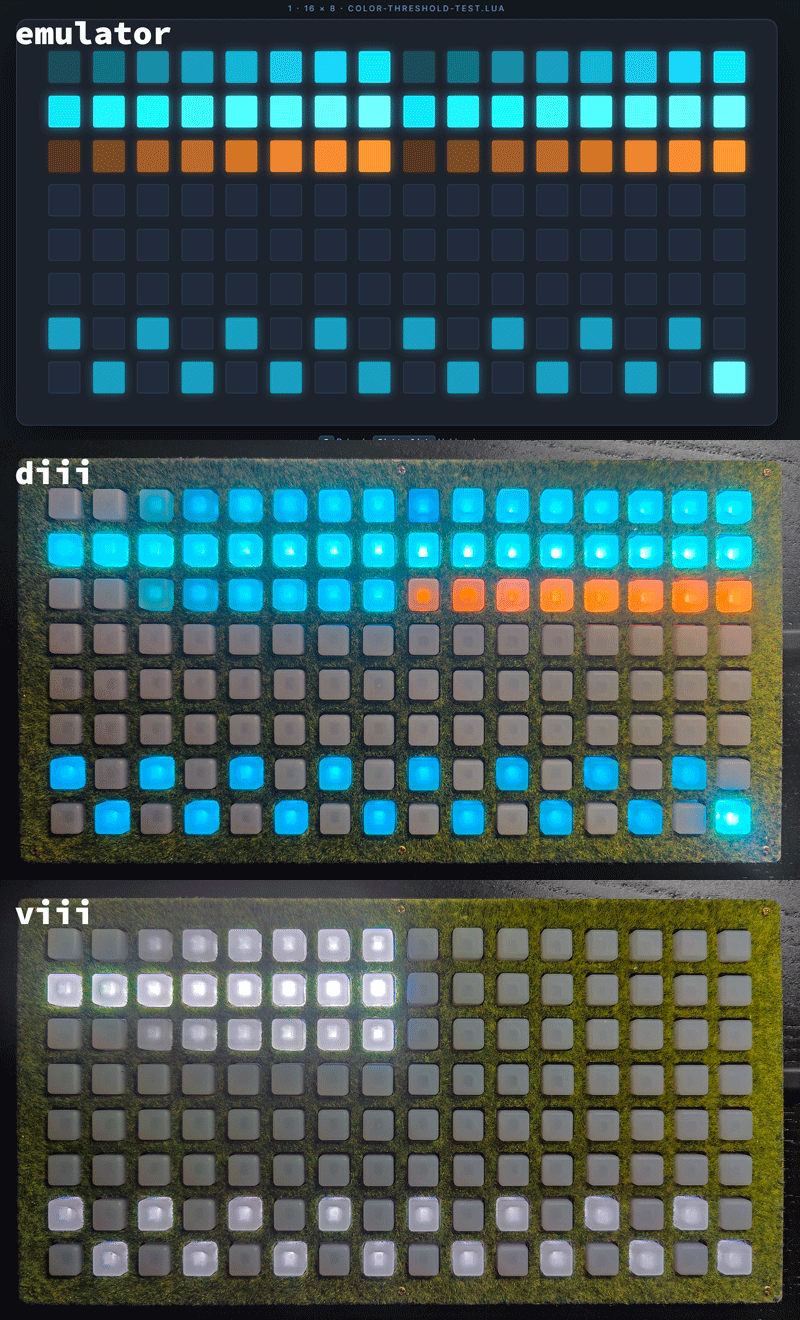
color-threshold-test.lua: tinted grid_led on the left, grid_led_rgb on the right.
The emulator doesn't show these shifts. What helps:
- Keep tinted pads at level 8 or higher.
- For dim colours, use
grid_led_rgband keep every channel you need above about 20. - Use level 0 for off, and at least level 4 for on.
The thresholds can vary between NeoTrellis boards. To check yours, run color-threshold-test.lua. color-workaround-demo.lua shows the grid_led_rgb workaround.